Crafting Lifelike Blooms: A Guide to the Rose SVG Template
The art of paper crafting has evolved significantly over the last decade, moving from simple children's activities to a sophisticated hobby and even a viable small business model. At the heart of this renaissance is the ability to create intricate, three-dimensional objects from flat sheets of material. Among the most popular and timeless subjects for these projects is the rose. However, achieving a realistic look with paper can be daunting for beginners due to the complex curvature and layering required. This is where a high-quality Rose SVG Template becomes an invaluable asset, bridging the gap between amateur attempts and professional-grade floral arrangements.
Understanding the Digital Blueprint
When you acquire a digital design package, such as the one offered by Creative Vector Studio, you are essentially purchasing a precise set of instructions encoded in vector data. Unlike a photograph or a hand-drawn sketch, an SVG (Scalable Vector Graphics) file contains mathematical paths that tell a cutting machine exactly where to slice, score, or draw. The beauty of the Rose SVG Template lies in its versatility. It is not merely a single image; it is a comprehensive toolkit designed to work across various platforms and skill levels.
The typical download includes a ZIP archive containing multiple file formats, each serving a specific purpose in the crafting ecosystem. You will generally find one SVG file, which is the gold standard for modern electronic cutters like Cricut Design Space, Silhouette Designer Edition, and Brother Scan and Cut. For those using older software or specific basic editions, such as the Silhouette Basic Edition, a DXF file is included to ensure compatibility. Furthermore, for traditionalists or graphic designers who prefer working in Adobe Illustrator or CorelDraw, EPS files are provided. Finally, high-resolution PNG files (300 dpi) with transparent backgrounds offer a raster option for those who might want to print the outlines manually or use them in digital compositions.
The Anatomy of a Realistic Paper Rose
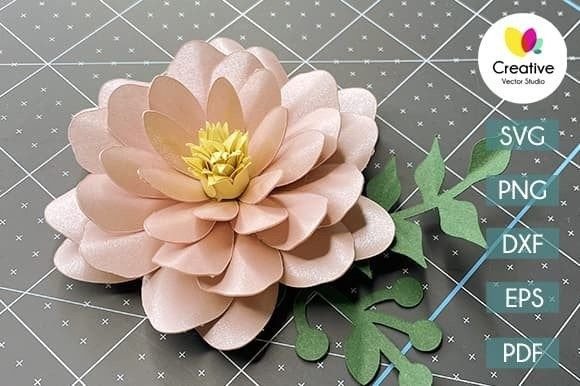
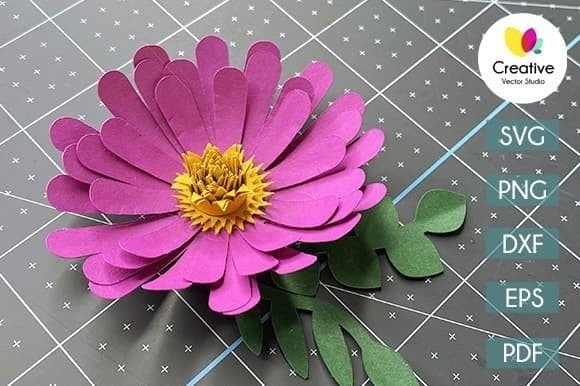
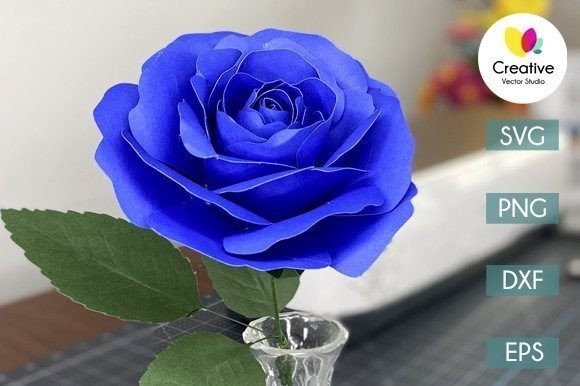
What sets a premium Rose SVG Template apart from free, generic downloads is the attention to detail in the petal shapes. A real rose does not have uniform petals; it has tight inner buds, partially opened mid-layer petals, and wide, curling outer leaves. A well-engineered template accounts for this biological reality. The design usually includes outline images intended to be printed on colored paper. This approach allows the crafter to choose the exact shade of red, pink, white, or yellow they desire, rather than being limited to the color of pre-printed cardstock.
The process begins with extraction. It is crucial to remember that the files come compressed in a ZIP folder. Before importing them into your software, you must extract the contents. Once loaded, the template reveals the individual components needed to construct the flower. The magic happens during the assembly. By following the included video tutorial—often accessible via a link in the archive or on the creator's YouTube channel—you learn how to layer these flat pieces. The tutorial typically demonstrates techniques for curling the edges of the paper to mimic natural growth patterns and gluing the layers in a spiral formation to create depth.
Practical Applications and Use Cases
The utility of a Rose SVG Template extends far beyond making a single decoration for a shelf. Because the design is scalable, you can create roses ranging from tiny embellishments for greeting cards to large statement pieces for event backdrops. This flexibility makes the template suitable for a wide array of users, from weekend hobbyists to professional event planners.
- Wedding and Event Decor: Artificial flowers are increasingly popular for weddings because they do not wilt and can be prepared months in advance. Using this template, couples can create cohesive color schemes for centerpieces, bouquets, and wall installations without the high cost of fresh imports.
- Greeting Cards and Stationery: The 3D element adds a tactile quality to handmade cards. A single, carefully crafted paper rose can transform a simple folded card into a cherished keepsake.
- Nursery and Home Decor: Parents often seek safe, non-toxic decorations for children's rooms. Paper roses made from acid-free cardstock provide a beautiful, allergen-free alternative to fresh plants that might pose choking hazards or trigger allergies.
- Fashion and Accessories: Creative entrepreneurs use these templates to craft hair clips, brooches, and even elaborate headpieces for photoshoots or theatrical costumes.
Evaluating Suitability for Your Project
Before diving into a project, it is important to assess whether this specific Rose SVG Template aligns with your needs. If you are looking for a quick, five-minute craft, this might not be the ideal choice. Creating a truly realistic rose requires patience, precision, and a willingness to manipulate the paper. The template provides the shape, but the "life" of the flower comes from your manual shaping and assembly.
Consider your equipment. If you own a cutting machine, the SVG or DXF files will save you hours of manual cutting. However, if you do not have access to a cutter, the included PNG and EPS files allow you to print the outlines on standard printer paper or heavier cardstock and cut them by hand with scissors or a craft knife. While more labor-intensive, this method offers a meditative quality and requires no initial investment in hardware.
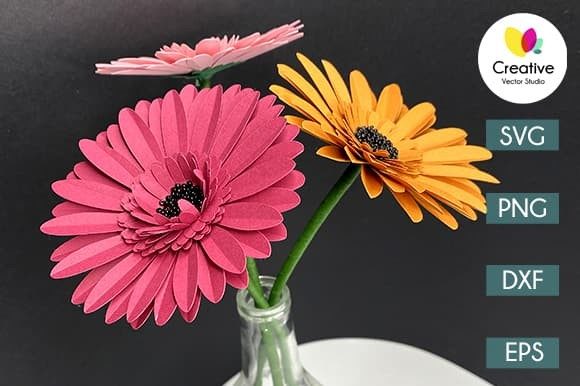
It is also vital to manage expectations regarding the final product. The photographs displayed in product listings are examples of what can be created, often using high-quality, textured cardstock and professional lighting. The files you download will not contain these photos, watermarks, or backgrounds; they are clean, vector-based paths. The realism of your final rose depends heavily on the quality of the paper you select. Thicker cardstock holds its shape better for larger roses, while lighter weight paper is easier to curl for delicate, small blooms.
Technical Considerations and Best Practices
Working with digital cut files requires a basic understanding of file management. As noted, the necessity to extract files from the ZIP archive is a common stumbling block for new users. Attempting to upload the ZIP file directly to design software will result in errors. Once extracted, organizing your files into folders based on format (SVG, PNG, EPS) can streamline your workflow.
When using the Rose SVG Template in software like Cricut Design Space or Silhouette Studio, take advantage of the "contour" or "hide contour" features if the design includes internal cut lines that you wish to ignore, although a well-made rose template usually optimizes these automatically. For the best results, ensure your blade is sharp. Dull blades can tear the paper, especially when cutting intricate petal curves, leading to jagged edges that detract from the realistic appearance.
Gluing is another critical phase. Hot glue guns are popular for their speed, but they can leave visible strings or bulk up the center of the flower. For a finer finish, consider using clear-drying craft glue or double-sided tape for the smaller inner petals. The video tutorial mentioned in the package is an essential resource here, as it visually demonstrates the tension and placement required to make the rose look like it is blooming rather than just stacked.
The Value of Digital Ownership
One of the significant advantages of purchasing a digital download from creators like Creative Vector Studio is the concept of unlimited potential. Unlike buying a physical kit that contains a fixed number of flowers, a digital template allows you to produce as many roses as your time and materials permit. This makes it an economically sound choice for large-scale projects. If you need fifty roses for a wedding arch, you simply print and cut fifty times, rather than purchasing fifty separate kits.
Furthermore, the variety of file formats ensures longevity. Software trends change; today's popular cutting machine may be obsolete in ten years. However, vector formats like EPS and SVG are industry standards likely to remain supported. This means your purchase is an investment that can be revisited years later, regardless of technological shifts.
In conclusion, the Rose SVG Template is more than just a file; it is a gateway to mastering the art of paper floristry. It combines the precision of digital technology with the tactile satisfaction of hand-crafting. Whether you are a business owner looking to expand your product line, a teacher seeking engaging classroom projects, or an individual wanting to add a personal touch to your home decor, this template provides the foundational structure needed to create something beautiful. By understanding the files, preparing the right materials, and following the guided instructions, you can transform flat sheets of paper into enduring symbols of elegance and nature.