Mastering Your Spooky Designs with a Halloween 3D Editable Text Effect Vector
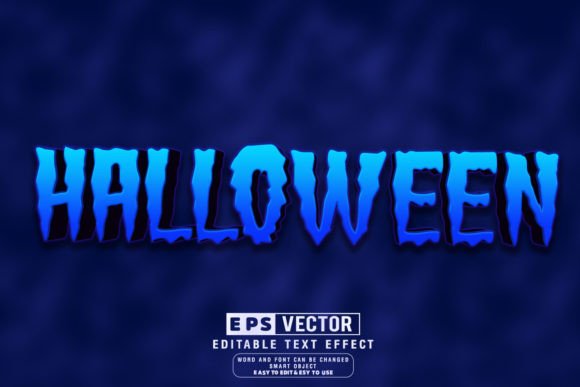
The rush to get seasonal marketing materials ready can often lead to compromised design quality. When October approaches, the demand for eye-catching graphics skyrockets, and many creators turn to pre-made assets to save time. A Halloween 3d Editable Text Effect Vector is one of the most powerful tools available for this purpose, offering depth, dimension, and immediate visual impact without the need for complex modeling software. However, simply downloading a file labeled as "editable" does not guarantee a smooth workflow. Many designers, from hobbyists to seasoned professionals, fall into traps regarding file compatibility, font licensing, and scalability that can ruin a project deadline or inflate costs unexpectedly.
Understanding exactly what these assets offer is the first step toward avoiding frustration. Unlike a flat PNG or a rasterized JPEG, a true vector file allows you to resize your text infinitely without losing clarity. The "3D" aspect usually refers to extruded shapes, shadows, and highlights built using vector paths rather than pixel-based filters. This means your spooky headlines will look crisp on a massive billboard or a tiny social media icon. Yet, a common misunderstanding arises when users assume "editable" means "universally compatible." Not all vector files behave the same way across different versions of Adobe Illustrator or alternative software like CorelDRAW or Inkscape.
Avoiding the Font Substitution Pitfall
One of the most frequent errors occurs when a designer downloads a pack promising 100 editable styles, only to open the file and find their text has reverted to a default system font like Arial or Courier. This happens because the specific decorative font used in the original design is not installed on your computer. While the effect itself remains, the aesthetic is completely lost. Some users mistakenly try to "create outlines" immediately to lock in the look, but this destroys the editability feature entirely. Once text is outlined, you cannot change the wording, correct a typo, or adjust the kerning without manually reshaping every anchor point.
To prevent this, always check the documentation included with your download. Reputable creators will list the specific fonts required or, even better, include free-to-use commercial licenses for those fonts within the package. If the font is not included, verify if it is a standard Google Font or a widely available typeface before purchasing. A better approach is to look for packs that utilize variable fonts or provide a clear guide on how to swap the typeface while maintaining the 3D structure. Remember, the value of an Adobe Illustrator text effect lies in its flexibility; if you cannot change the words easily, you are paying extra for a static image.
The Trap of Rasterized Shadows and Highlights
Another subtle but critical issue involves the construction of the 3D effect itself. In an effort to create realistic lighting, some lower-quality vectors use raster images (pixels) for shadows, glows, or texture overlays embedded within the vector file. While this might look impressive in the preview thumbnail, it defeats the purpose of using a vector format. If you scale the design up for a large print run, those raster elements will become pixelated and blurry, creating an unprofessional appearance. This mistake often goes unnoticed until the file is sent to a professional printer, leading to costly reprints and delayed campaigns.
Before finalizing your choice, zoom in to 400% or higher within your design software. Inspect the edges of the shadows and the gradient meshes. They should remain sharp and defined regardless of magnification. True vector effects use gradient fills, opacity masks, and blended paths to simulate depth. If you see jagged edges or pixelation when zoomed in, the file is likely a hybrid that will limit your output options. For high-quality results, ensure that every element of the Halloween 3d Editable Text Effect Vector is constructed purely from mathematical paths. This ensures that whether you are printing on a business card or a storefront window, the quality remains pristine.
Optimizing Workflow for Efficiency
Time is a scarce resource during the holiday season, and inefficient editing processes can bottleneck your productivity. A common oversight is failing to organize layers before beginning work. Many downloadable packs come with complex layer structures where the text, shadows, highlights, and background elements are grouped haphazardly. Diving in without untangling these groups can lead to accidental deletions or difficulty isolating specific parts of the design for customization. For instance, trying to change the color of the extrusion side without affecting the face of the text can become a nightmare if the layers are not logically named and separated.
A practical solution is to spend the first few minutes of your session cleaning up the file. Ungroup unnecessary elements, rename layers to reflect their function (e.g., "Text Base," "Extrusion Side," "Drop Shadow"), and lock layers that do not need immediate attention. This small investment of time pays off significantly when you need to make rapid iterations for different clients or platforms. Furthermore, take advantage of the Just Click and Edit promise by testing the text tool immediately. Type a long phrase and a short word to see how the 3D effect handles different character counts. Some effects are optimized for short, punchy headlines and may distort awkwardly when applied to longer sentences. Knowing these limitations early prevents last-minute redesigns.
Evaluating Cost Versus Value
When browsing marketplaces, it is tempting to grab the cheapest option or the largest bundle available. However, quantity does not always equal quality. A pack claiming 100 Editable styles might contain ninety variations that are merely slight color shifts of the same underlying design, offering little real versatility. Conversely, a smaller, more curated collection might provide ten distinct structural styles that cover a wider range of moods—from playful and cartoonish to terrifying and gothic. Evaluate the diversity of the designs rather than the sheer number of files.
Consider your specific use cases. If you are a freelancer serving multiple clients, you need a variety of styles to avoid repetitive branding. If you are a small business owner creating internal signage, consistency might be more valuable than variety. Check the license terms carefully as well. Some "free" or low-cost downloads restrict usage to personal projects only, which can lead to legal issues if used for commercial advertising. Always verify that the license covers commercial use, especially if you plan to sell products featuring the design or use it in paid ad campaigns. Investing in a high-quality, properly licensed asset saves money on potential legal fees and reputation damage in the long run.
Final Checks Before Implementation
Before you commit to a design direction, perform a quick audit of your technical environment. Ensure your version of Adobe Illustrator is up to date, as newer vector features sometimes break in older software versions. If you are collaborating with a team, confirm that everyone has access to the necessary fonts and plugins. Additionally, consider the output medium. Will this text be primarily digital or printed? For print, ensure your color mode is set to CMYK and that any neon or glowing effects are adjusted to remain vibrant within the printable gamut. For digital use, RGB is standard, but file size optimization becomes more relevant.
By approaching the selection and usage of a Halloween 3d Editable Text Effect Vector with a critical eye, you transform a simple download into a strategic asset. Avoiding the pitfalls of missing fonts, rasterized elements, and disorganized layers allows you to focus on creativity rather than troubleshooting. The goal is to enhance your communication with clear, impactful visuals that capture the spirit of the season without compromising on professionalism. With the right preparation and attention to detail, these tools can elevate your projects, saving you time while delivering stunning results that resonate with your audience.